KAYAK: Flights, Hotels & Cars
- 4.8
- Rating
- 10.00M
- Installs
- Free
- Price

 Analysis by App-foxy
I like travel apps that help me make a decision without forcing me to open five different services first. KAYAK: Flights, Hotels & Cars takes that practical approach. It is a free Travel & Local app from KAYAK.com that brings flight, hotel, and car-rental searches into one place, then lets me compare the options before I decide where to book.
My first impression is that it is built for planning rather than daydreaming. I can start with a simple route or destination, adjust the search, compare alternatives, and return to the details that matter. That makes it useful for a weekend away, a complicated family trip, or a quick check when I need to know whether a proposed itinerary is realistic.
The app has a 4.8 average from around 401 thousand ratings, with roughly 39 thousand written reviews and over 10 million installs. Those figures suggest that it has become a familiar tool for a large number of travelers, but popularity alone does not make every search effortless. The real question is whether its comparison-first design suits the way you travel.
You May Also Like

 Blood Strike: 2.5 Anniversary
Blood Strike’s Loadouts Turn Every Drop Into a Tactical Gamble
A close look at Blood Strike’s custom loadouts: how fast access to signature weapons reshapes its battle royale rhythm, rewards preparation, and narrows the gap between fights.

 Pandora - Music & Podcasts
Pandora’s Music Is Easy to Start, but Harder to Recover
Pandora’s strength is its low-effort path from a seed to a station. Its weak spot is how much confidence it asks you to place in connection, setup, and quiet recovery.

 8 Ball Pool
 Is Built on Rivalries, Rematches, and Routine
A close look at the rivalries, rematches, shared routines, and unanswered safety questions that turn a quick pool match into a persistent mobile community.

 Samsung Music
’s Quiet Strength Is Playing What You Already Own
Its reach comes less from spectacle than from dependable access to a personal library. That simplicity is both the app’s strongest retention engine and its ceiling.

 AccuWeather: Weather Radar
AccuWeather Review: A Quick, Clear Forecast for Everyday Decisions
For everyday plans, the best forecast is the one you can understand quickly. AccuWeather makes rain timing, radar, and local conditions easy to act on, with a few trade-offs.

 Hill Climb Racing
Why Hill Climb Racing Still Turns Crashes Into One More Run
A tiny car, a bumpy hill and one more upgrade: Hill Climb Racing keeps resurfacing because its simple chaos makes every near-miss feel personal.
More From Our News Desk
View All News


How KAYAK feels during ordinary travel planning
I find KAYAK most useful before the trip is settled, when a small change in timing or location can reshape the whole plan. I use it to compare possibilities, then keep the decision grounded in the details that matter to me: arrival time, where I’ll stay, and how I’ll get around. That comparison-first habit also makes it easier to judge which choices deserve a closer look.
Quick searches are the app’s strongest starting point
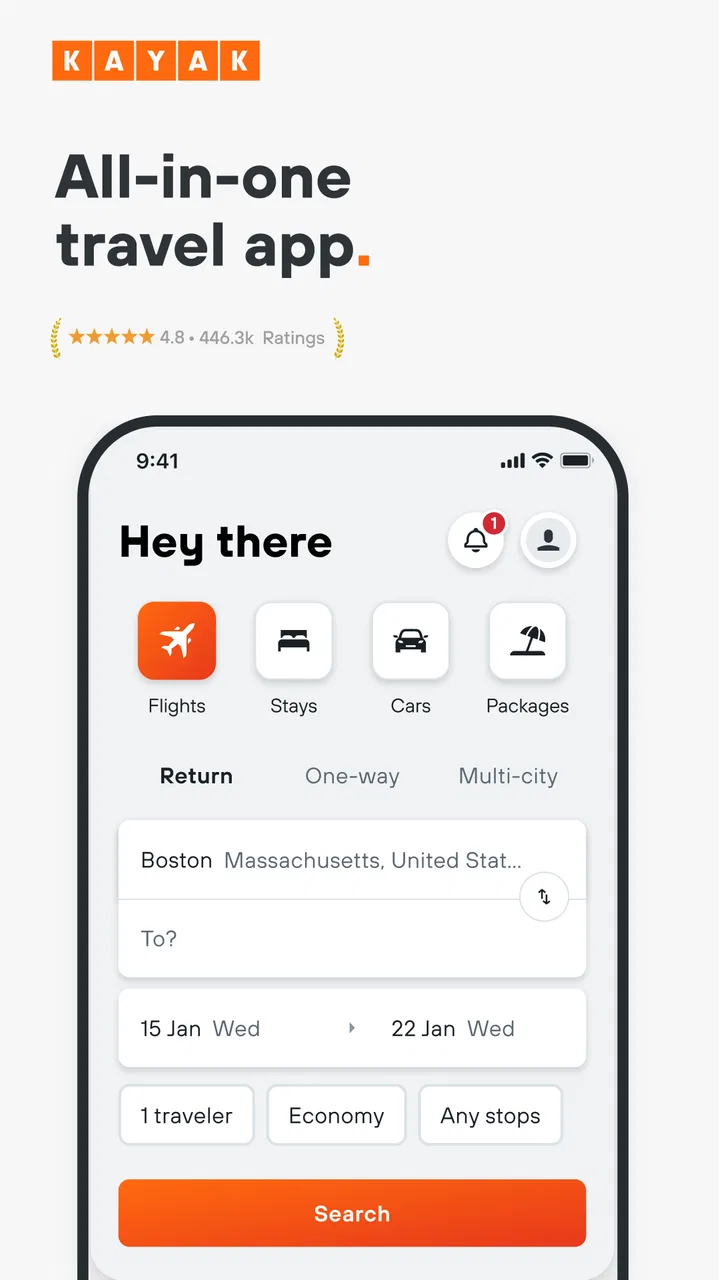
For a straightforward flight search, I find the experience most useful when I already know the basic shape of my trip. Entering the departure point, destination, and dates gives me a practical overview instead of making me commit immediately to one airline or one booking site. That is especially helpful when I am flexible enough to change the departure day or consider a nearby airport.
The same idea works for hotels and car rentals. Rather than treating each part of a trip as a separate research project, KAYAK gives me one travel workspace in which I can compare the main booking choices. I would not call it a replacement for reading the final terms carefully, but it is a strong first filter for narrowing a crowded market.
The biggest time-saver is comparison before commitment. I can use the app to discover which options deserve a closer look, then inspect the final conditions before paying. That distinction matters because the cheapest-looking result is not always the most convenient one once baggage, location, cancellation rules, pickup details, or transfer time enter the picture.
What affects the feeling of speed
Perceived speed depends less on the opening screen than on the search itself. A simple route with fixed dates should feel more direct than a broad search involving several airports, flexible timing, hotels, and rental vehicles. In heavier searches, the app has more information to organize, so I expect the comparison stage to require more patience than a basic lookup.
I also find that speed is partly a planning habit. If I search with a clear destination and realistic dates, KAYAK gets me to useful choices faster. If I keep changing every part of the request, the app becomes a research tool rather than a quick answer machine. That is not a flaw unique to this service, but it is worth understanding before judging the experience.
A realistic everyday scenario
Imagine I need to attend a two-day event in another city. I begin with the flight search, checking whether arriving the evening before is affordable enough to avoid a stressful morning. Then I compare hotels near the venue instead of choosing only by room price. Finally, I look at car rental options only if the airport-to-venue journey makes public transport impractical.
That workflow shows where the app earns its place. It helps me test the whole shape of a trip rather than examining a flight in isolation. If the hotel is far away, a rental car may change the calculation. If the flight arrives late, a central hotel may be worth more than a slightly cheaper room. KAYAK is useful because it supports those comparisons in one travel-focused environment.
When searches become heavy
The busiest moments come when I use the app for more than a single reservation. A multi-part trip can involve several flight combinations, hotel locations, and vehicle choices. The value of comparison increases in that situation, but so does the amount of information I need to review. I have to slow down and check each result instead of assuming the first attractive option is the best one.
This is also where screen size matters. On a phone, a dense set of travel choices can require more scrolling and opening than it would on a larger screen. I can still work through it, but I prefer to do the first broad comparison when I have time and attention. The app is convenient for checking options between other tasks; it is less comfortable when I am trying to solve an entire complicated itinerary in a hurry.
A useful habit is to decide which factor is non-negotiable before searching. For flights, that may be arrival time rather than the lowest fare. For hotels, it may be location. For car rental, it may be pickup convenience. Once I know that priority, KAYAK’s comparison format becomes clearer, and I am less likely to waste time evaluating options that were never suitable.
Reliability in the parts that matter
For a travel app, reliability is not only about whether the interface opens. It is also about whether I can move from an attractive result to a clear booking decision without losing track of what I selected. I treat KAYAK as a comparison and discovery layer, so I pay close attention to the final provider, conditions, and total practical cost before completing anything.
That approach protects me from a common travel-planning mistake: remembering only the headline price. A result may look excellent until I notice an inconvenient schedule, a distant hotel, or rental terms that do not fit my plans. KAYAK helps me find the options, but I remain responsible for checking the details at the point where the booking is finalized.
Recovery is another important part of reliability. Travel plans change, and a comparison app cannot remove the need to manage the reservation through the relevant booking provider. If I need to modify or cancel something, I would first identify who actually handled the booking and keep the confirmation details available. That is a sensible workflow with any comparison service, and it prevents confusion about where support should come from.
I also recommend taking a screenshot or saving the important itinerary information after booking, especially when the trip involves several separate reservations. This is not because the app is inherently unstable; it is simply good travel practice. A single trip can involve different providers, and having the final details available reduces the chance of searching again under pressure.
Resource demands and device limitations
KAYAK is designed for phones and tablets running Android 9 or later, which gives it a broad reach across reasonably current devices. On a modern phone, I would expect ordinary searches to be comfortable. On an older device, the main limitation may be less about the travel functions themselves and more about how smoothly the phone handles repeated searches, image-heavy hotel results, or switching between the app and other services.
Travel apps can also become demanding simply because travelers ask them to do a lot at once. Keeping several searches in mind, opening provider details, checking maps or messages, and returning to the app can put more pressure on an older device than a single short lookup. I prefer to close unrelated apps before a major planning session, not as a special requirement for KAYAK, but because it makes any comparison workflow less frustrating.
The app is free, which makes it easy to keep available for occasional use without treating it as a dedicated subscription tool. Its Everyone content rating also makes it suitable for general household use. Parents planning a family holiday, students arranging a visit, and occasional travelers can all approach it without the app being aimed at a narrow age group.
Still, I would not choose it as my only travel reference on a phone with very limited storage or an unreliable connection. A booking plan should not depend on being able to repeat every search at the airport or on the road. I save the essential confirmations separately and use the app mainly for comparison, adjustments, and checking possibilities.
Useful workflows beyond a basic search
One of my favorite ways to use the app is as a trade-off calculator in practice, even when I am not literally calculating anything. I compare an inexpensive flight at an awkward time with a slightly more convenient option, then consider how that choice affects the hotel night and transportation. This prevents me from optimizing one reservation while making the entire journey worse.
Another useful workflow is to search hotels by practical position rather than by room appeal alone. A beautiful room at the wrong end of a city can cost more in time and transport than its lower nightly price suggests. KAYAK is most valuable here when I use it to compare location, timing, and overall convenience together instead of sorting mentally by price alone.
For rental cars, I would use the app early in the planning process, even if I am not sure I need a vehicle. Seeing whether a car fits the trip can change my choice of hotel or airport. The trade-off is that a rental adds another set of conditions to inspect, so I would never treat the first displayed option as a final answer without checking pickup arrangements and the provider’s terms.
I also find it helpful to perform a second search after I have learned what the trip really requires. My first search may reveal that the original airport is inconvenient, that an extra hotel night would reduce stress, or that a car is unnecessary. Repeating the search with that new knowledge produces a better decision than trying to force the first search to work.
How it compares with familiar alternatives
The usual alternative is to search directly through an airline, hotel chain, rental company, or a general booking service. Direct booking can be better when I already know the exact provider I want, need a particular loyalty relationship, or want to manage everything through that provider’s own system. In those cases, KAYAK may add an extra comparison step that I do not need.
On the other hand, direct searches can hide the opportunity cost of choosing one provider too early. KAYAK is better when I am open to different airlines, properties, or rental companies and want to see the market before narrowing down. It is particularly useful for travelers who care about timing and location as much as price.
Compared with a general search engine, this app feels more purposeful because the information is organized around a trip. Compared with a dedicated airline or hotel app, it is broader but less specialized. My choice depends on the stage of planning: I use KAYAK to compare and shape the trip, then I may use a provider’s own channel when I have settled on the exact reservation.
Who should use it, and who may prefer something else
I recommend KAYAK to travelers who regularly compare alternatives, people with flexible dates, families balancing several practical constraints, and anyone who wants flights, hotels, and car rentals considered together. It is also a good fit for occasional travelers who do not want to install a separate app for every part of a journey.
I would be more cautious about recommending it to someone who always books with one airline or one hotel group and already knows that provider’s system well. A traveler who needs highly specialized support, complex corporate travel handling, or a single place for every post-booking service may prefer a dedicated travel-management option instead.
It may also be the wrong choice for someone who expects the app to make the final decision automatically. KAYAK can reduce the search burden, but it cannot know whether I value a quiet hotel, a short connection, a flexible cancellation policy, or a cheaper fare enough to accept inconvenience. The best results still come from knowing my own priorities.
My performance verdict
After using it as a planning companion, I see KAYAK as a dependable comparison tool rather than a complete substitute for every travel provider. Its performance is strongest during focused searches, where I can quickly compare realistic options and then verify the details. It becomes more demanding during large, multi-part itineraries, but that reflects the amount of information being handled as much as the app itself.
The current version is 250.1, and the app supports devices from Android 9 onward. Combined with its free price and broad Everyone rating, that makes it easy to try before deciding whether it belongs in my regular travel routine. I would keep it installed if I often need to compare routes, accommodation, and transportation in the same planning session.
My practical recommendation is to use it for discovery, comparison, and trip shaping, then slow down for the final conditions. That balance gives me the app’s main advantage without confusing a comparison result with a complete booking decision. I would also keep confirmation details outside the app so that a change of plan does not leave me dependent on repeating the original search.
Overall, KAYAK: Flights, Hotels & Cars earns my recommendation for travelers who want a broad view before committing. It feels most valuable when the trip has choices to weigh, not when I have already decided on one provider. If you are comfortable making the final judgment yourself and want one free place to compare the major pieces of a journey, this app is a sensible addition to your phone.
FAQs for KAYAK: Flights, Hotels & Cars
01How does KAYAK ensure the best deals on flights, hotels, and cars?
KAYAK uses advanced algorithms to search hundreds of travel sites at once, providing users with a comprehensive list of options. It compares prices from various sources, including airlines and third-party booking sites, to ensure users get the best possible deals. Additionally, KAYAK offers price alerts and predictions to help users decide when to book.
02Can I book directly through the KAYAK app?
While KAYAK excels at comparing prices and finding deals, it redirects users to the respective booking sites to complete their reservations. This means that while you can find and plan your travel itinerary through KAYAK, the actual booking is completed on the partner's website, which might have different terms and conditions.
03What features does KAYAK offer to enhance the travel planning experience?
KAYAK provides a variety of features including flexible date searches, price alerts, and mobile-exclusive deals. Users can also access travel guides, track flights, and even explore KAYAK's Explore tool, which helps find destinations within a specific budget. These tools aim to simplify travel planning and maximize savings.
04Is the KAYAK app free to use, or are there any hidden costs?
The KAYAK app is free to download and use. It does not charge users any fees for using its services. However, be aware that once redirected to third-party booking sites, those sites may have their own fees or conditions, which should be reviewed carefully before completing any transactions.
05How reliable is the information on KAYAK regarding travel restrictions and advisories?
KAYAK strives to provide up-to-date and accurate information regarding travel restrictions and advisories, especially in light of changing global travel conditions. However, it's crucial for users to verify this information with official sources or directly with airlines and accommodations, as conditions can change rapidly.
Pros
- User-friendly interface for easy navigation.
- Comprehensive price comparison tool.
- Real-time flight tracking feature.
- Customizable alerts for deals and changes.
- Supports multiple currencies and languages.
Cons
- Occasional app crashes reported.
- Limited customer support options.
- Some features require account creation.
- Ads can be intrusive at times.
- Not all deals are exclusive to the app.

KAYAK: Flights, Hotels & Cars
Gallery